


Candidate experience survey software
Find out what candidates really think of your hiring process
Automatically collect feedback from every hired and rejected candidate, track your NPS, and spot where your process needs work.
Automatically collect feedback from every hired and rejected candidate, track your NPS, and spot where your process needs work.
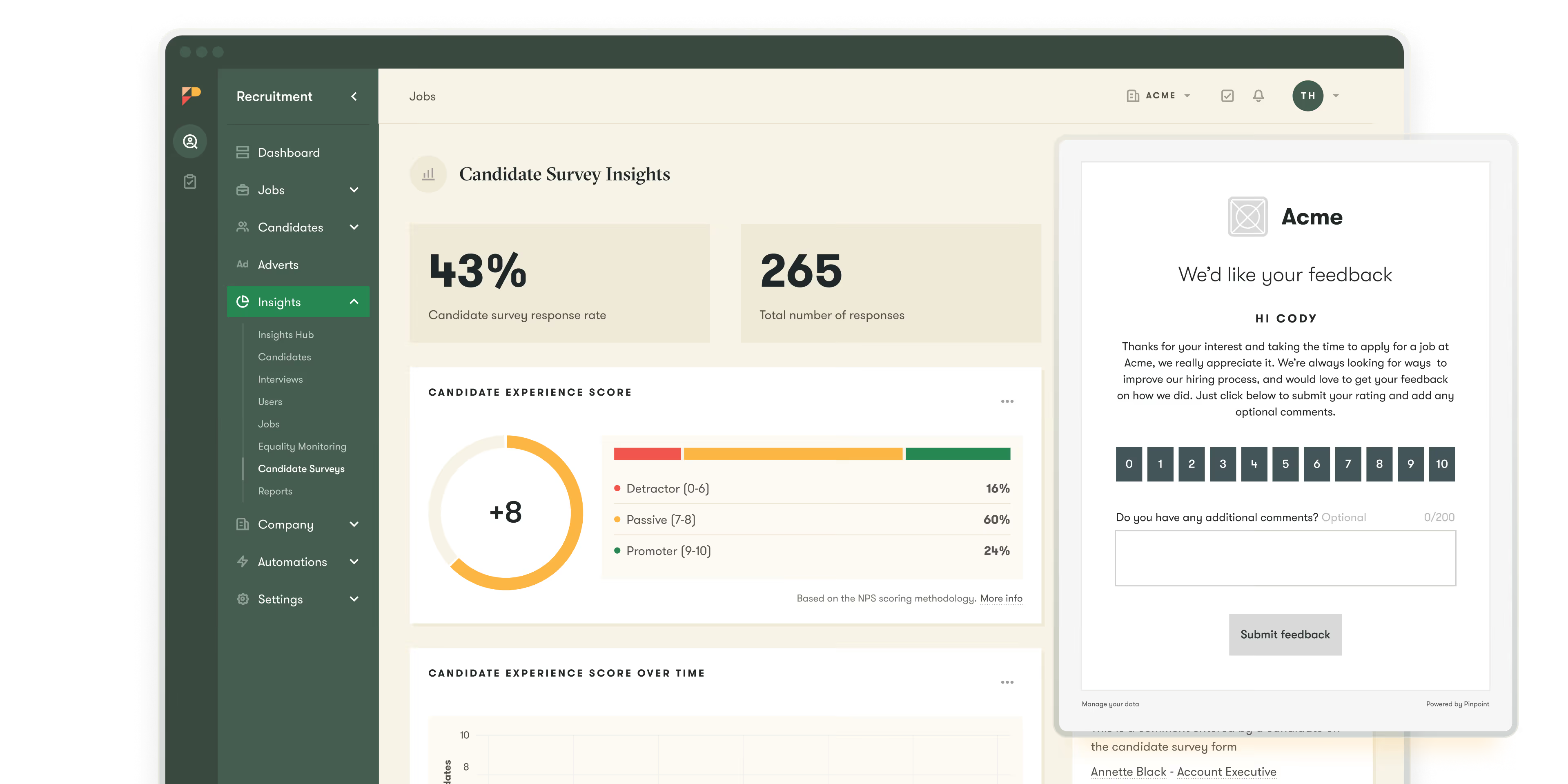

After a candidate is hired or rejected, Pinpoint sends the survey based on the timing you choose, so your team doesn’t have to remember or follow up.
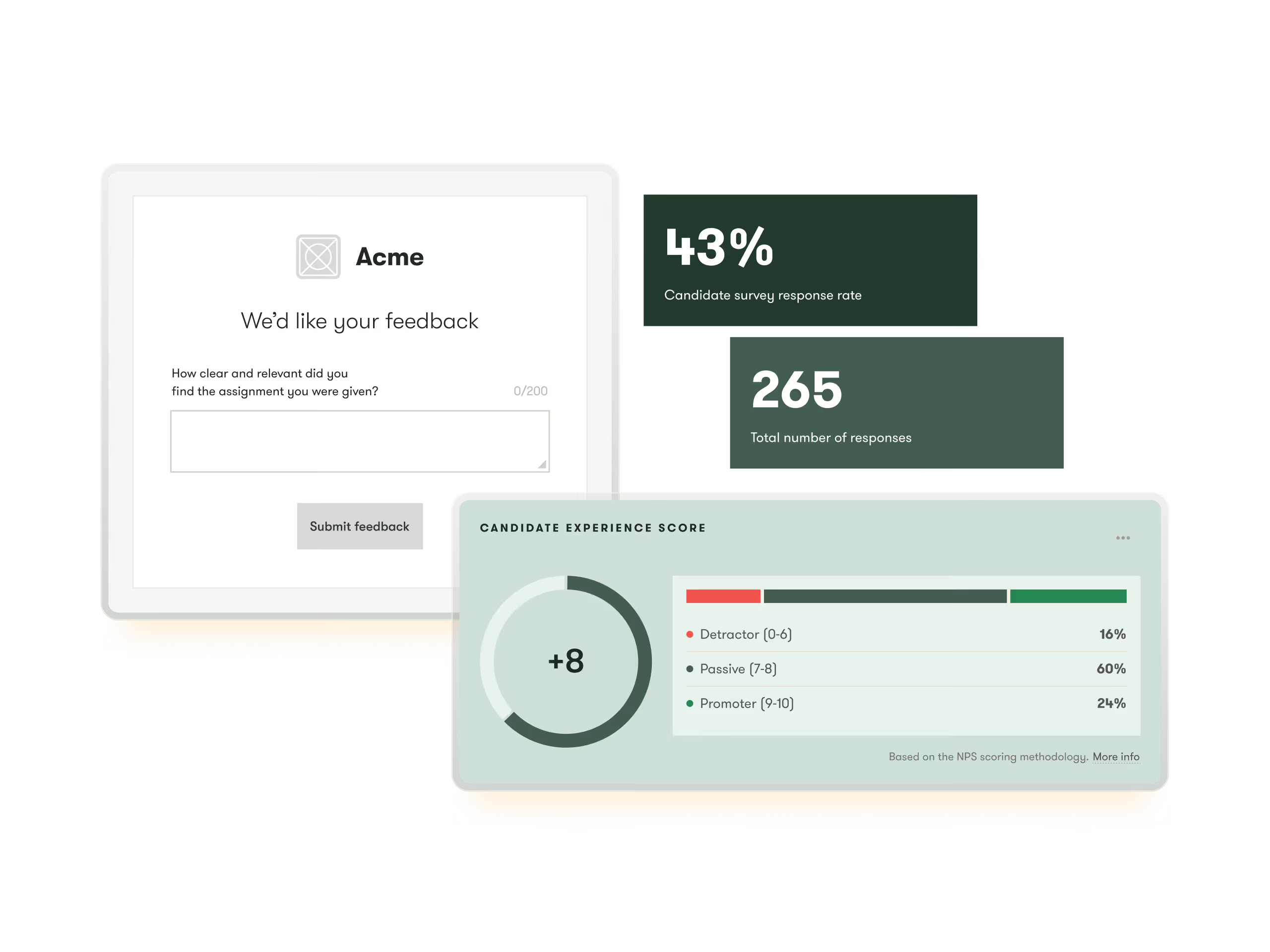
Break results down by team, role, location, or hiring manager to find out where the experience is working (and where it isn’t.)
Include your own questions to explore specific parts of your process, whether that’s interviews, communication, or speed.
Survey results live alongside your roles, pipelines, and reports, so you can review and act on them without switching tools.
















































reduction in time to hire
casting day coordination
candidate communication

candidate engagement
candidate trust
reliance on paid ads

risk of candidates stalling
visibility for TA leaders and stakeholders
employees supported in the states

visibility on all candidates
locations supported
hiring manager adoption


Candidate NPS is calculated as the percentage of promoters (candidates scoring 9–10) minus the percentage of detractors (candidates scoring 0–6). Passives (7–8) are excluded from the calculation. The result is a score between -100 and +100. A score above zero means more promoters than detractors. Most organisations aim for a positive NPS and track it over time as a measure of process improvement.
There's no universal benchmark, but a positive score (above 0) indicates that more candidates are advocating for your process than criticising it. Scores above +20 are generally considered good; above +50 is excellent. The most useful thing you can do with your candidate NPS is track it over time — so you can see whether changes to your process are improving or worsening the experience you deliver.
Yes. Pinpoint's candidate survey reporting lets you filter results by location, department, job, and hiring manager. This means you can identify pockets of poor experience that an overall average would obscure — a strong company-level NPS can hide a problematic experience in one region, with one hiring manager, or on one team.
No. Once a candidate submits their score and any optional comments, their response is final. If they click the original survey email again, they'll be shown the thank you page rather than the survey form.
You control this. In Pinpoint's survey settings, you set how many days after a candidate's experience ends the survey email is sent. The candidate experience is considered to end when they're moved to the hired stage, or when they're rejected and tagged with a rejection reason.
You enable candidate surveys in Pinpoint's settings and configure the email message, thank you text, and send timing. Once enabled, Pinpoint automatically sends surveys to candidates when they're hired or rejected — no manual intervention required. Results are visible in the Insights section, broken down by location, department, job, and hiring managers.
Yes. Pinpoint lets you add custom questions to every candidate survey. These appear after the NPS rating and are always optional for candidates to answer. You can use them to dig into specific parts of your process — the application form, the interview, communication speed, or anything else you want to understand better.
Yes. Pinpoint's survey configuration includes a preview of both the email candidates receive and the branded response page they're taken to when they click through. You can review both before enabling surveys.