


June 2025 | Product Spotlight
Welcome to June's product spotlight, where we're showcasing several small but mighty updates to save you time on reporting and admin.
Article
28 Jun 25
Welcome to June's product spotlight, where we're showcasing several small but mighty updates to save you time on reporting and admin.

Hi there 👋
I’m Ces Garcia, Customer Support Specialist at Pinpoint. In this Product Spotlight, we’re sharing a few enhancements to how you search for candidates, and a new way for your employees to see internal jobs.
Let’s jump in.
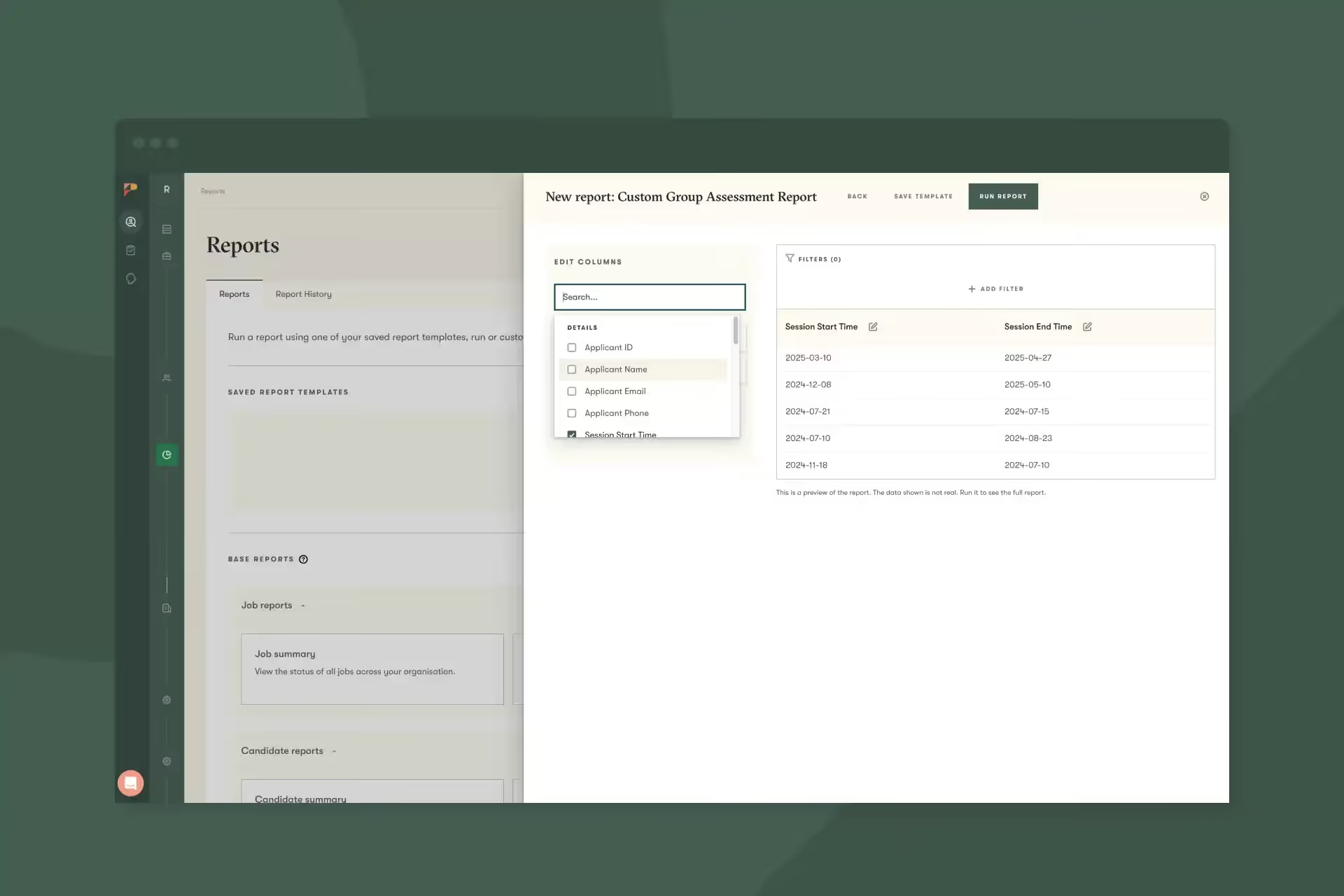
We’ve added a new report type to custom reports for group assessments. Now you can create a custom report that pulls in all kinds of data about group assessments, including applicant details, session start/end times, applicant stages, session duration, interviewers, location, department, and more.
This allows you to get a snapshot of your data, schedule a report on a recurring cadence, or export your data into another tool for deeper analysis.
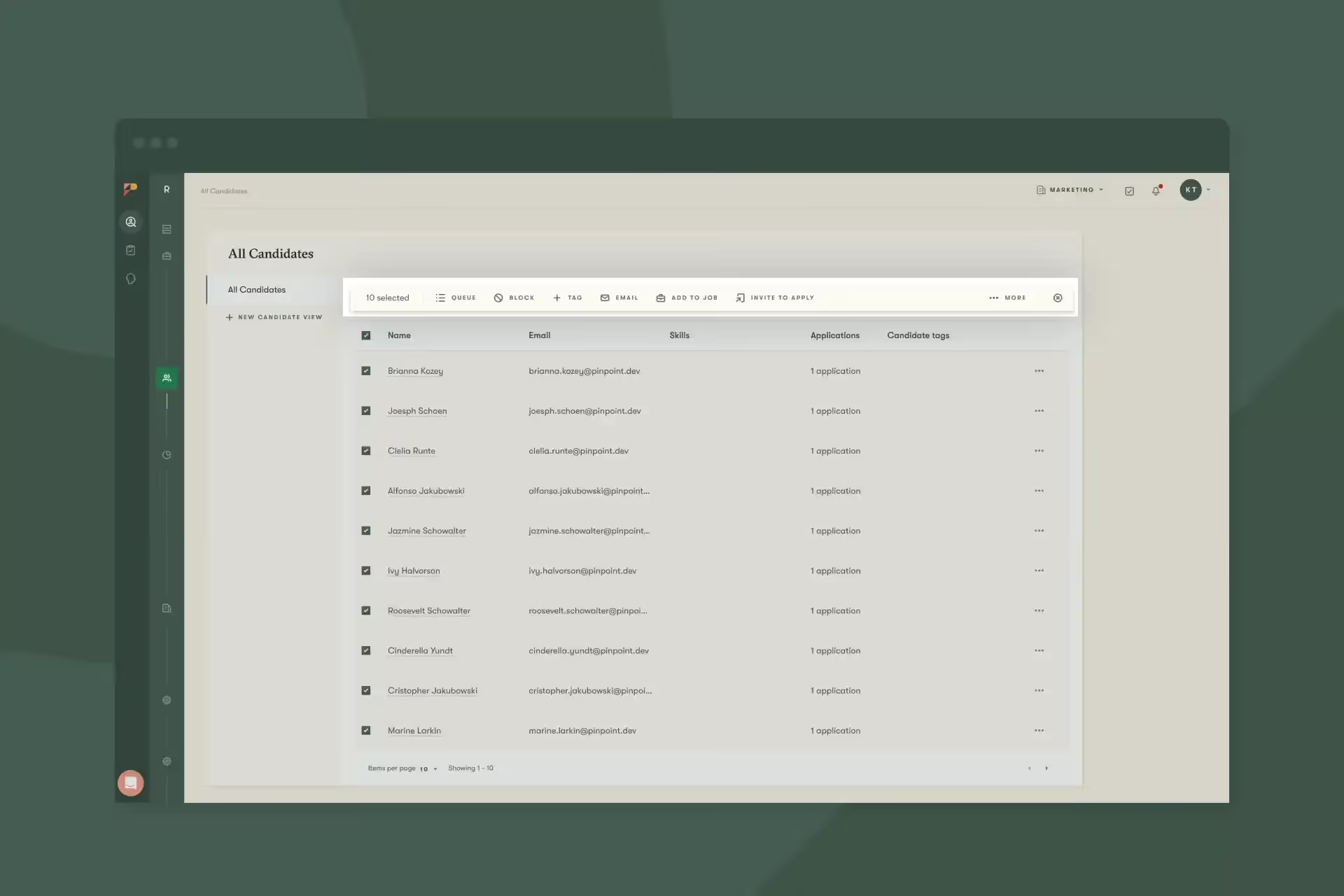
We’ve been adding several new bulk actions to the All Candidates view. Now you can select several candidates and take bulk actions such as send them to your candidate queue, apply tags, invite them to apply for a job, and more.
Combined with our expanded filtering criteria from last month’s release, now you have an even more powerful way to quickly filter a list of target candidates and take an action on them.
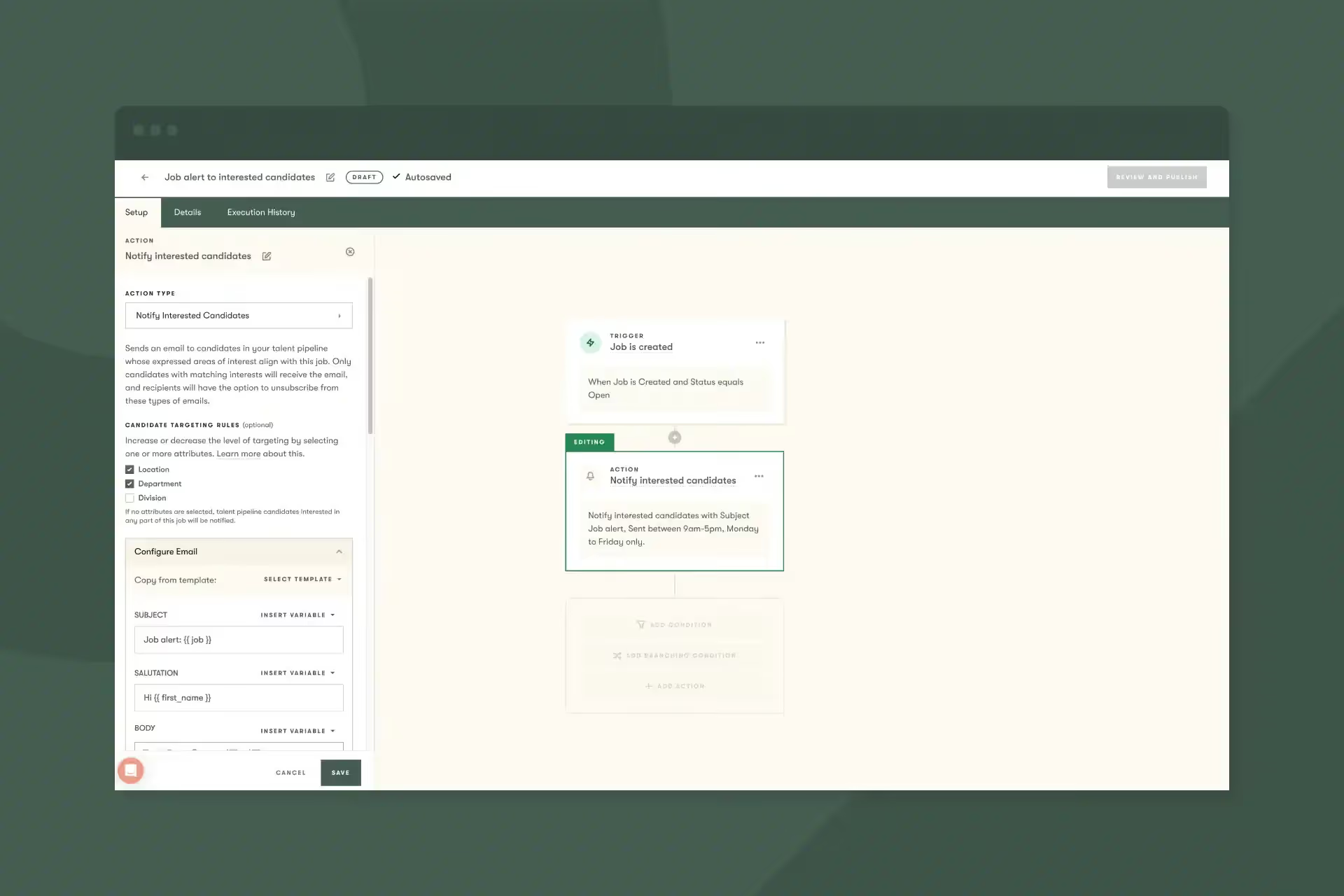
We’re continuing to expand our Workflow Automations feature, which allows you to set up complex automations across multiple jobs from one place.
We’ve added a new action that allows you to send job alerts to interested candidates from your talent pipeline. So when a new job is created, any talent pipeline candidates who have registered interest in that job’s location/division/etc can be automatically notified.
And because it’s part of our Workflow Automations feature, you can set up one very simple automation and run this across all your jobs if you wanted to, or scope it down to just some of your jobs.
That’s it for this month. Let us know if you have any questions.