


May 2025 | Product Spotlight
Welcome to May's product spotlight, where we're featuring new ways to search for candidates, and a new way to share internal jobs.
Article
28 Jun 25
Welcome to May's product spotlight, where we're featuring new ways to search for candidates, and a new way to share internal jobs.

Hi there 👋
I’m Rachel Larkin, Customer Success Manager at Pinpoint. In this Product Spotlight, we’re sharing a few enhancements to how you search for candidates, and a new way for your employees to see internal jobs.
Let’s jump in.
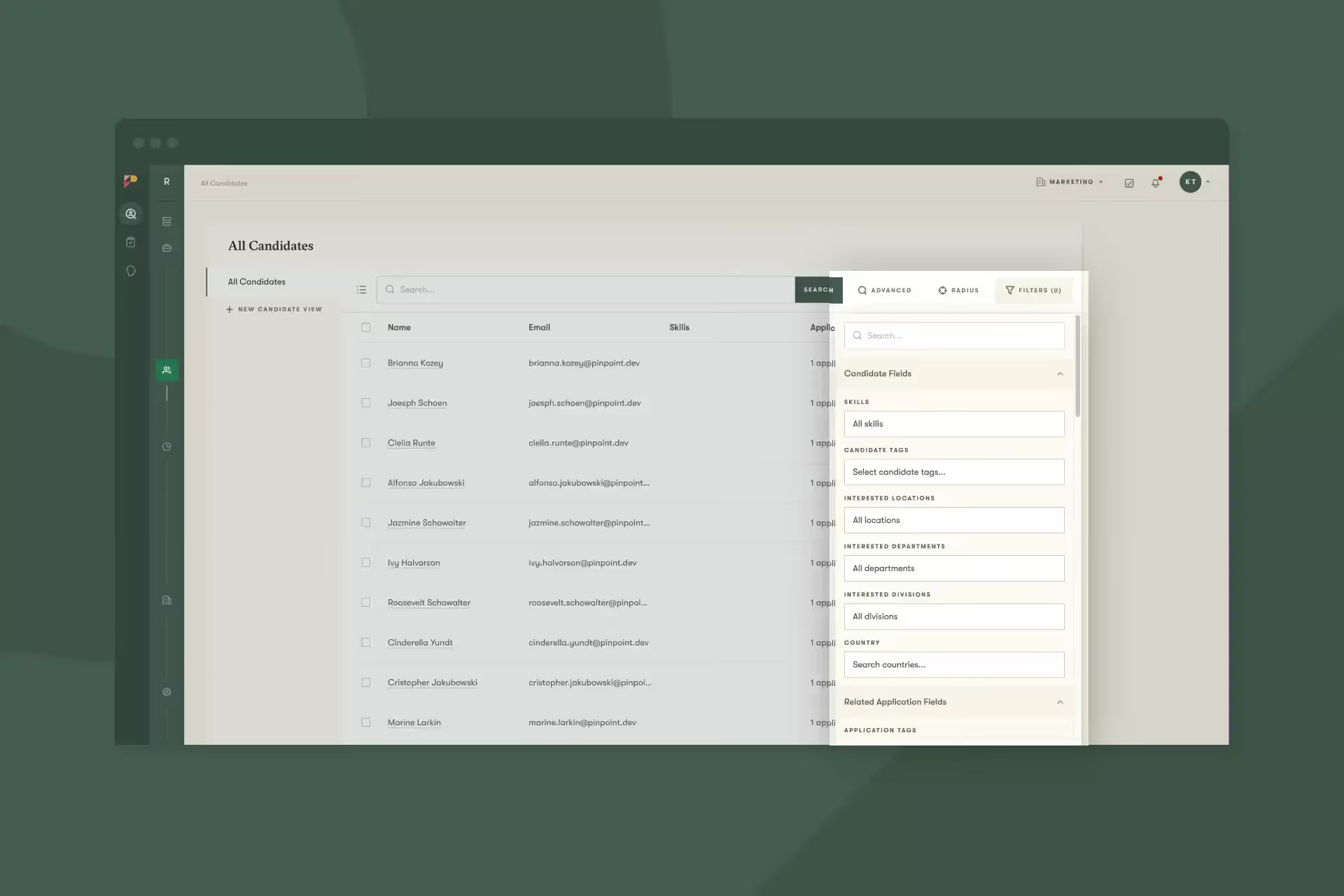
The All Candidates page has received a major upgrade to its search and filter capabilities. We’ve added several new criteria to the filtering options so you have even more control over your talent pool navigation.
Filtered views can be saved for quick access, making it easier to return to your customized searches with a single click. This enhancement will significantly streamline how you find candidates for new positions and manage your existing talent through personalized views. For example, you can create a view to see all candidates in an interview stage. Learn more here.
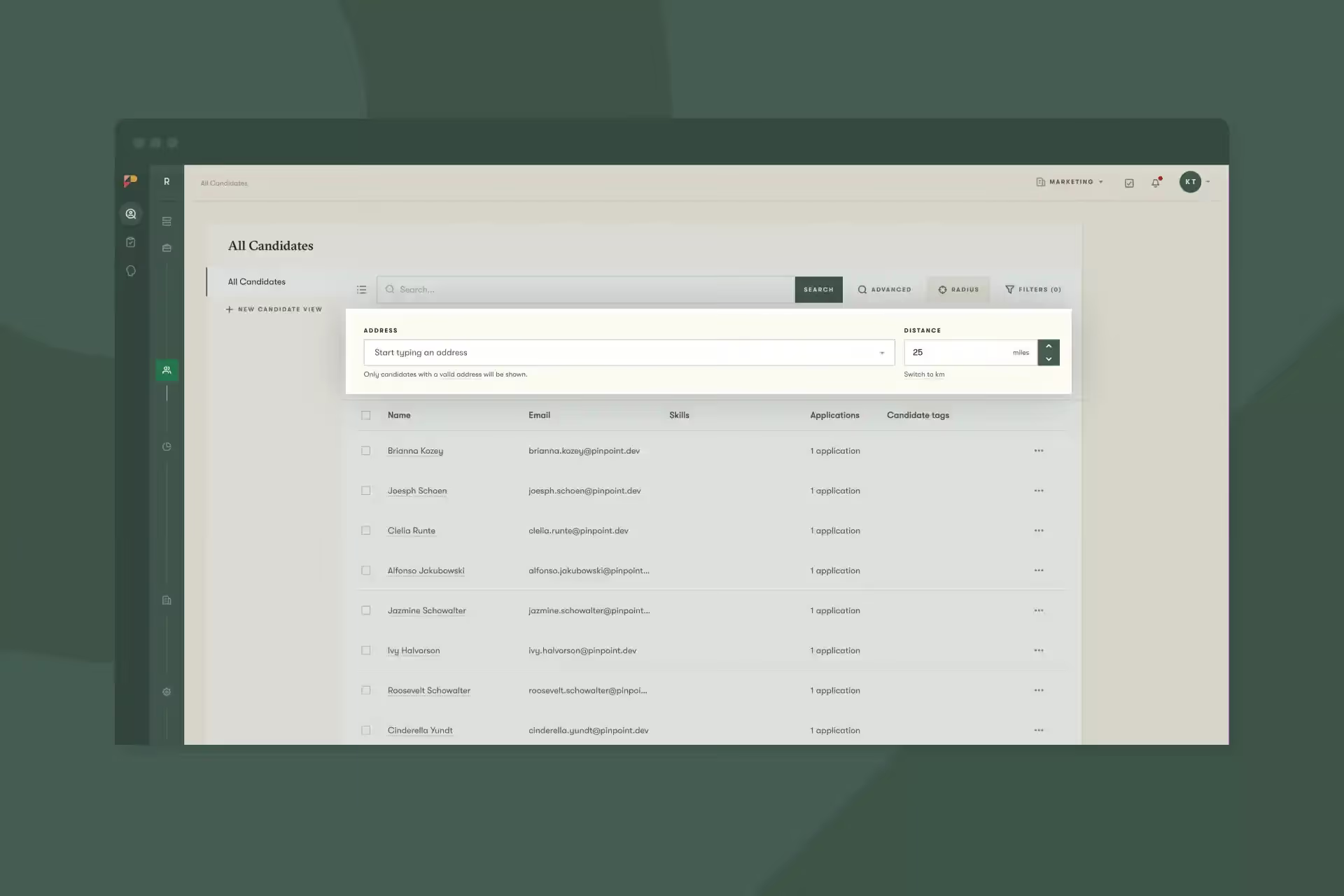
With Radius Search, you can now filter candidates based on their proximity to any location. This feature allows you to search for talent within a specified distance from any address you input, whether you’re on the All Candidates page or working within a specific job.
The Radius Search tool helps you identify local talent, making location-based hiring decisions more efficient. To start using this feature, it must first be enabled in your company settings under Profile > Preferences. Learn more here.
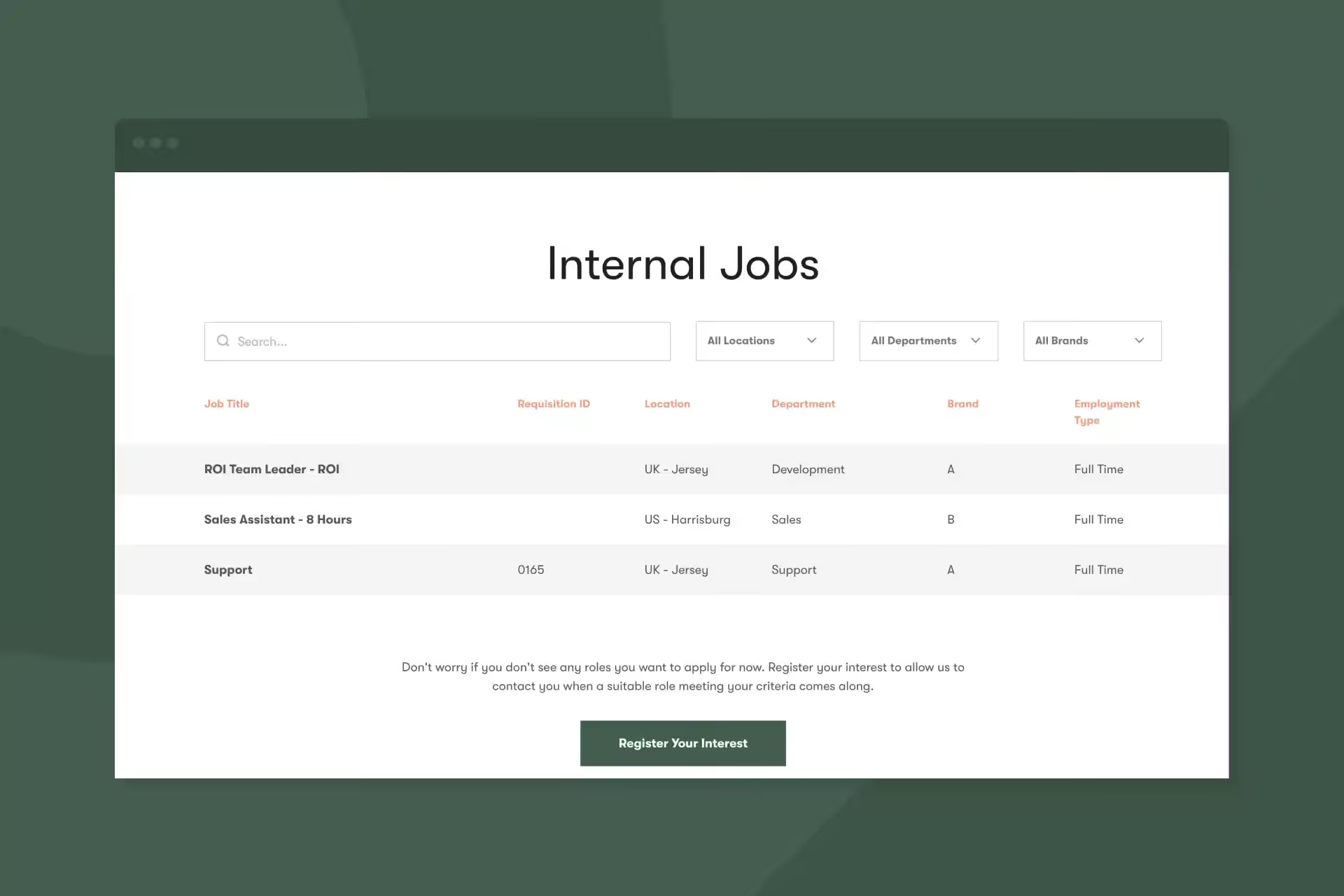
You can now showcase internal job opportunities on your career site using the enhanced job widget. This feature displays positions marked as internal, creating a dedicated space for your existing employees to discover new opportunities within your organization.
This addition provides a streamlined alternative to the employee dashboard, allowing you to create career pages for internal positions without requiring users to log in for access, making internal mobility more visible and accessible. Learn more here.
That’s it for this month. Let us know if you have any questions.