


November 2024 | Product Spotlight
Welcome to November's Product Spotlight on updates that make life easier for recruiting & hiring managers + new 'inactive candidate' alerts.
Article
19 Nov 24
Welcome to November's Product Spotlight on updates that make life easier for recruiting & hiring managers + new 'inactive candidate' alerts.
Hi there 👋
I’m Edd Slaney, Product Delivery Manager at Pinpoint. This month, I’m sharing updates on scoped custom fields and templates, and alternative interviews, which make life easier for hiring and recruiting managers.
Plus, ‘stale candidate’ alerts to help you keep candidates engaged.
Let’s dive in…
Recruiters are short on time and hiring managers are short on attention. So, you need every task or interaction in Pinpoint to be easy and obvious. These features deliver that.
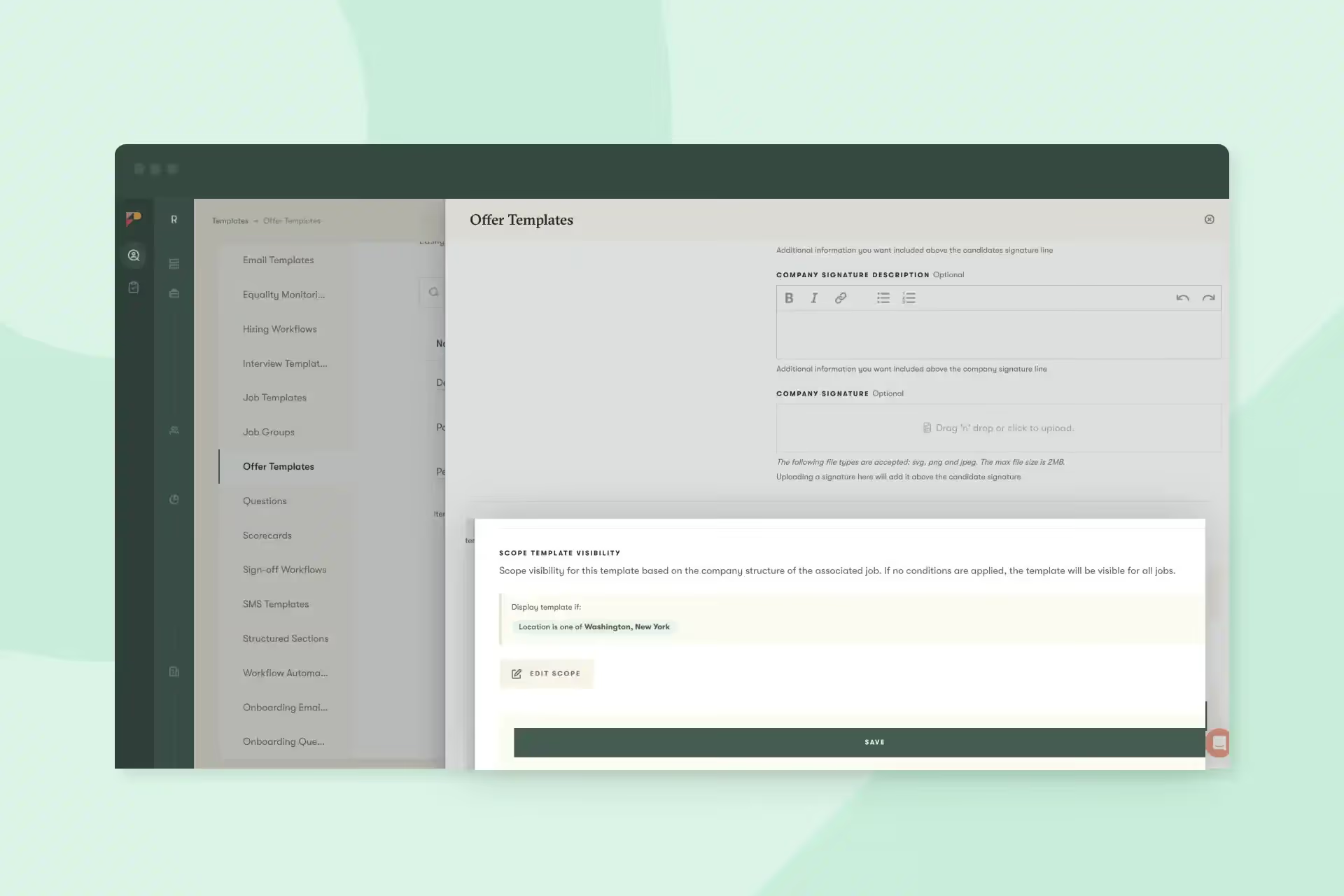
First off, you can now define the scope of custom fields and templates by your org structure.
You can select what department, location, or division any particular custom field or template is visible to (or hidden from). So, people working on an individual role will only see options relevant to them.
This reduces the need for them to scroll through unnecessary questions or search in long lists of templates.
You can apply a scope to anything that has a location, department, or division associated with it:
Say, for example, you offer US-based roles a US Bonus, but it’s not applicable in the UK. When it comes to your offer letter template, you can set the US Bonus field so that it only appears for recruiters creating an offer letter for US-based roles.
Or you might create a whole offer letter template specifically for US roles. Then you’d set this template as only visible for roles in US locations.
In the coming weeks, we will also add:
All of which ensures those working day-to-day on specific roles aren’t overwhelmed by options and scrolling. But you still gather and include all the elements you need across the board.
Standard interview types help with consistency and fairness. But sometimes, on the ground, a hiring manager may want to adapt that interview based on the specific circumstances.
With the alternative interviews feature, you can give them options.
For example, you can now create an interview stage that defaults to a 30-minute interview but has 15-minute and 45-minute alternative interviews. You can also use this feature to configure different interview templates for internal vs. external candidates.
Keeping track of multiple candidates in multiple stages across multiple roles isn’t easy. And sometimes candidates fall through the cracks.
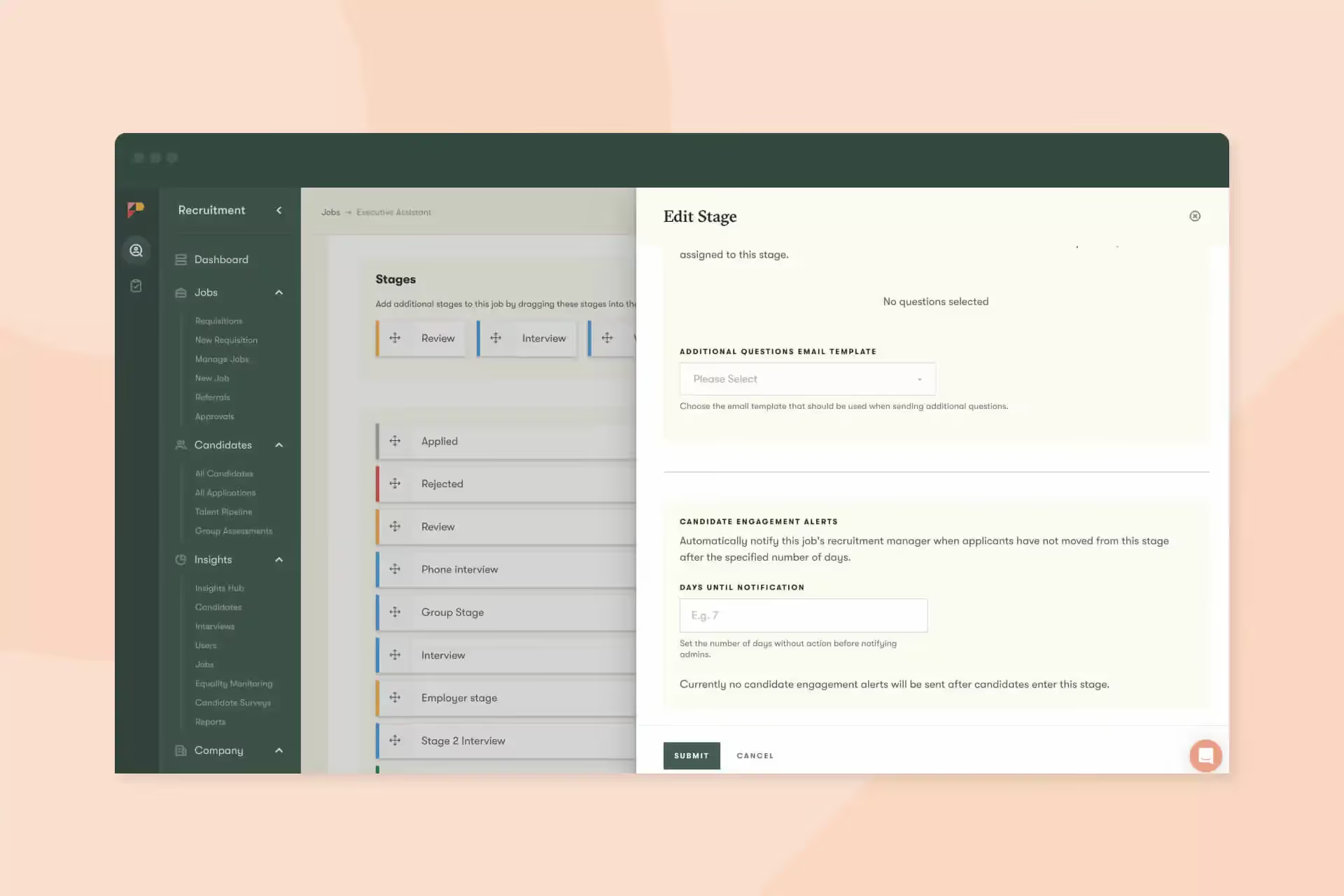
To help avoid that situation, we’ve created the ‘stale candidate’ alert.
For each stage in a hiring workflow, such as review or interview, you can now choose a custom length of time for a candidate to be inactive in that stage before the recruiting manager gets an alert.
Whether it’s a ‘no news is still news’ email or a nudge to the hiring manager to get the interview booked, this alert can help recruiting managers keep momentum and ensure candidates don’t feel ghosted.
This is a minor tweak, but one that’s especially relevant for the candidate experience.
Required form fields now have a * next to them as a visual indicator for applicants. And they have a ‘required’ HTML tag for screen readers.
This keeps application forms clear, simple, and accessible.
Finally, some smaller tweaks that can have a big impact:
And that’s it for this month. We’d love you to get in touch if there’s anything we can help with, or if you have feedback on this latest product update. See you in December for the next one!