


October 2024 | Product Spotlight
Welcome to October's Product Spotlight, including LinkedIn Recruiter System Connect integration, structured application sections & more.
Article
15 Oct 24
Welcome to October's Product Spotlight, including LinkedIn Recruiter System Connect integration, structured application sections & more.

Hi there 👋
I’m Harry Langdon, Customer Success Team Lead at Pinpoint. This month, I’m sharing the LinkedIn Recruiter System Connect integration launch, new structured application sections, and more!
Let’s dive in…
We are very excited to announce the availability of the LinkedIn Recruiter System Connect integration. This builds on our existing LinkedIn Jobs integration. LinkedIn Recruiter System Connect gives applicant tracking systems (ATS) such as Pinpoint the ability to save time and streamline the recruiting workflow by integrating consistent, real-time data.
What does integrating consistent, real-time data mean in practice?
It means some of your everyday activities are now that much easier. And whether you carry them out in LinkedIn Recruiter or Pinpoint, your data remains in sync. So, what kind of activities are easier now?
1. One-click export of a LinkedIn profile into Pinpoint. If you spot a great candidate when you’re sourcing with LinkedIn Recruiter, you can now sync them into Pinpoint with one click. You can assign them to a specific location and job. Once it’s done, all information—messaging history, comments, and hiring stage updates—automatically sync between Pinpoint and LinkedIn Recruiter.
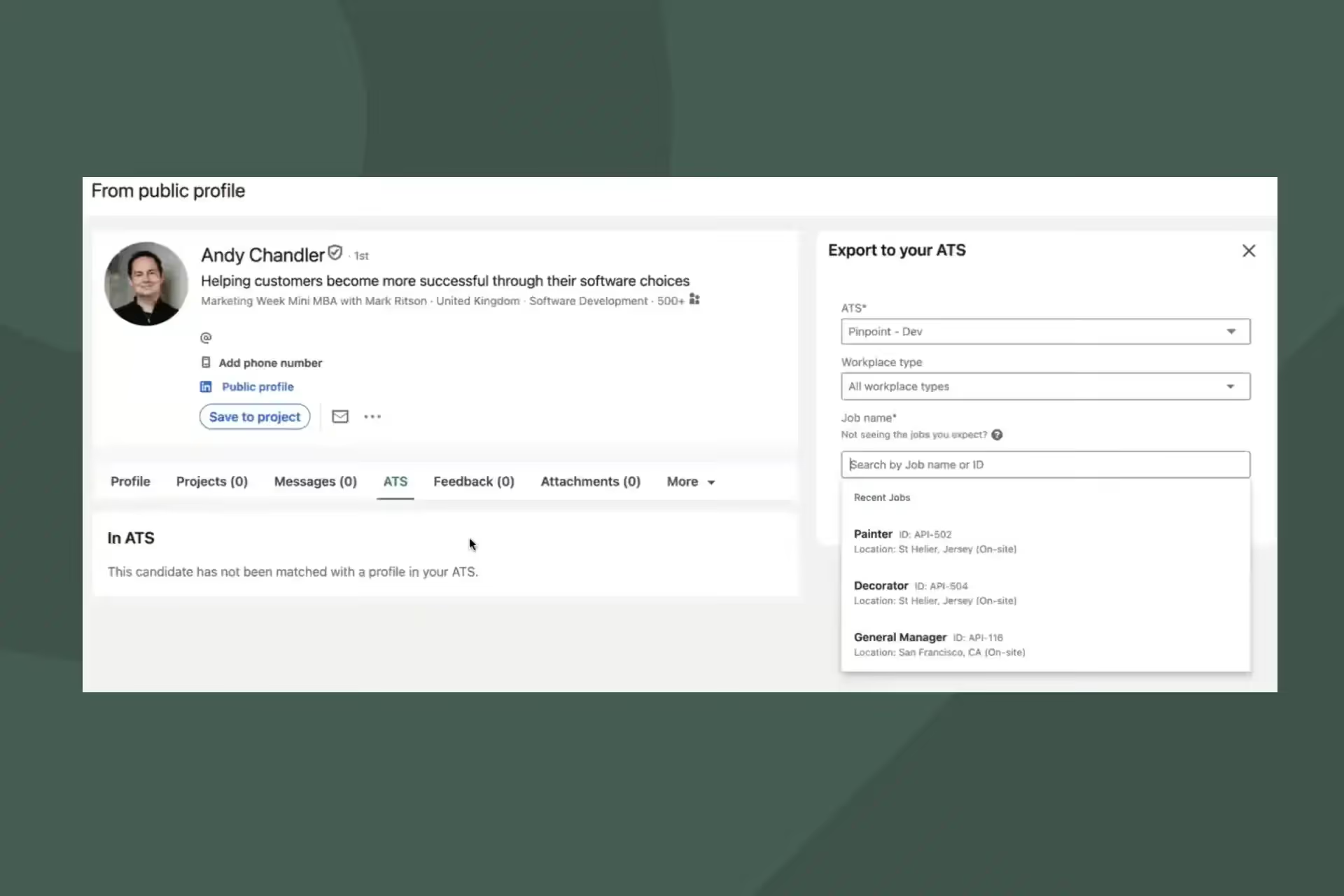
2. InMail messaging from within Pinpoint. You can now message candidates via LinkedIn InMail from within Pinpoint. One less login, one less tab open, and a much smoother experience.
3. Stub Profiles pull in to Pinpoint too. When you message a potential candidate via LinkedIn Recruiter, and they agree to share their details, their profile now syncs with Pinpoint. All their details, including contact details, will appear in your talent pipeline. You can then add this person to a specific job. Whether it’s in Pinpoint or LinkedIn, any changes get reflected on both platforms.
Switching on the integration is simple, but please note, this integration is only available to LinkedIn Recruiter seat-holders.
You can now create standard sections on your job applications for things like employment history or education. This means a candidate has to complete the same set of questions for each entry, e.g. Job title, Company, Start date, End date, and Key responsibilities.
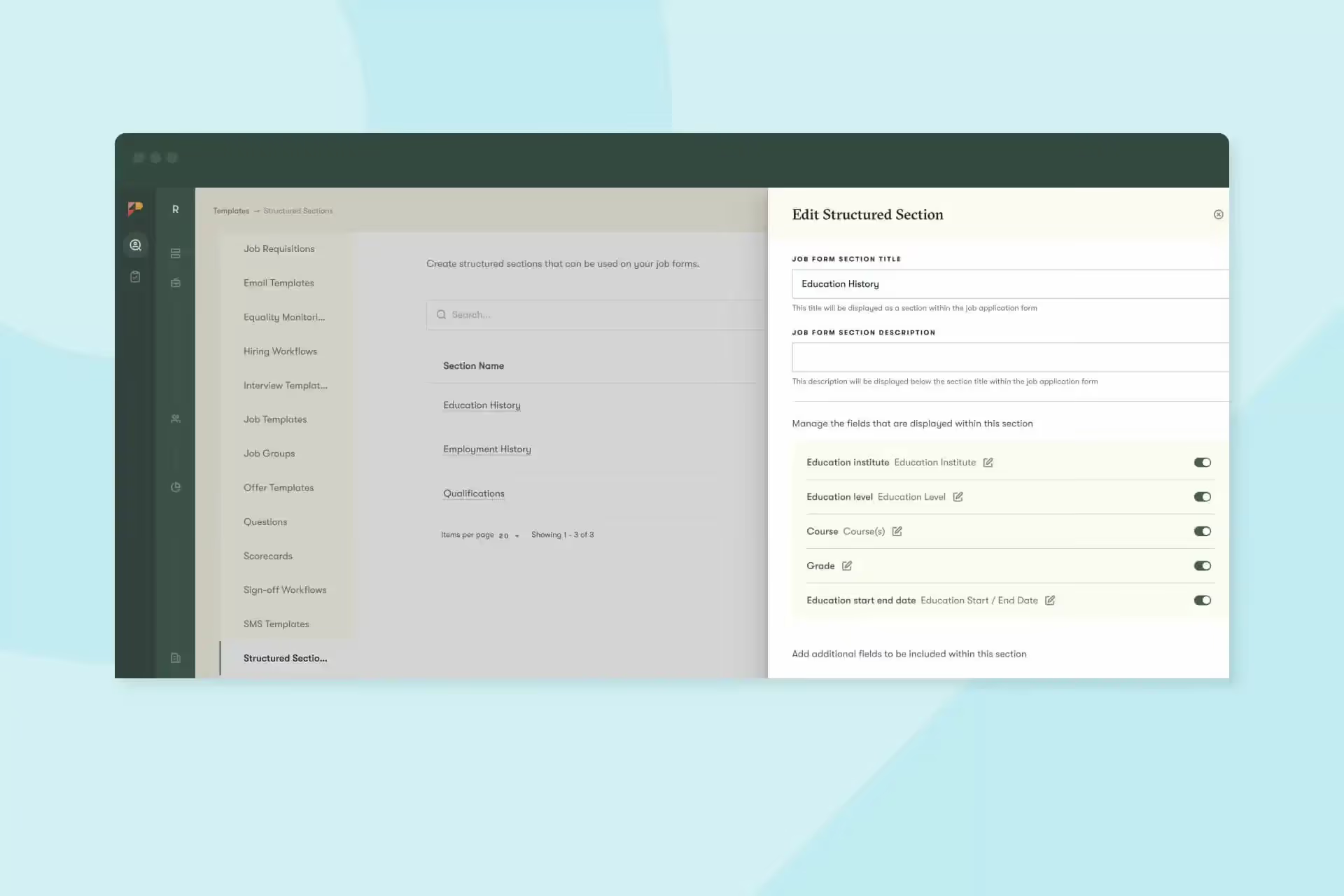
You can select a minimum and maximum number of responses. And, with employment history, you can create automatic flags for gaps greater than a specific number of weeks, months, or years.
We have updated our workflow approval process to include a default workflow approval. This will run automatically when no other approval process is triggered.
You need to reach out to your CSM or the support team to enable this new functionality. That’s because you need to create a workflow with no conditions for this catch-all and tidy up any old workflows you no longer need.
We’ve also made some UI improvements to make it easier to create new approval processes and to allow users to see more information when approving.
We’ve also introduced a few smaller updates designed to make your recruitment process smoother and your job easier:
And that’s it for this month. We’d love you to get in touch if there’s anything we can help with, or if you have feedback on this latest product update. See you in November for the next one!